The PlayStation 4 is a remarkable gaming console known for its impressive library of games. However, like any technology, it is not immune to errors. One of the most common issues that PS4 power users encounter is error codes such as CE-34878-0, SU-30746-0, or CE-34335-8.
These error codes can be frustrating, but fear not, as this guide will provide you with effective solutions to fix them.
Understanding PS4 Error Codes
Before delving into the specific error codes, it’s essential to understand what they mean and their possible causes. Sony PlayStation error codes are alphanumeric codes that indicate a particular issue within the console. They can occur due to various reasons, including hardware malfunctions, software conflicts, or system crashes.
Fixing Error Code CE-34878-0
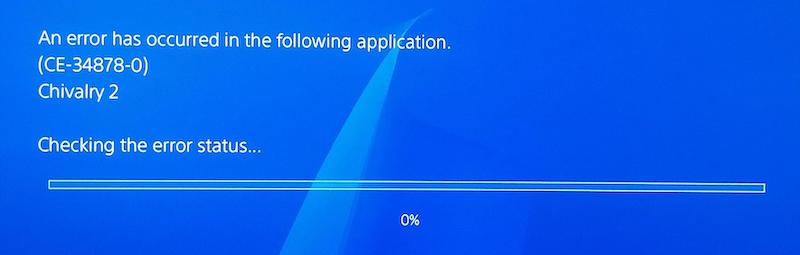
Error code CE-34878-0 is a common gaming console error that typically occurs when a game crashes or freezes. To resolve this error, you can try the following steps:
- Update the game and the PS4 system software to their latest versions.
- Close the application and restart your console.
- Clear the cache of the game by deleting and reinstalling it.
- If the error persists, try initializing your Sony device. However, note that this step will erase all data, so make sure to back up your important files beforehand.
Workarounds for Error Code SU-30746-0
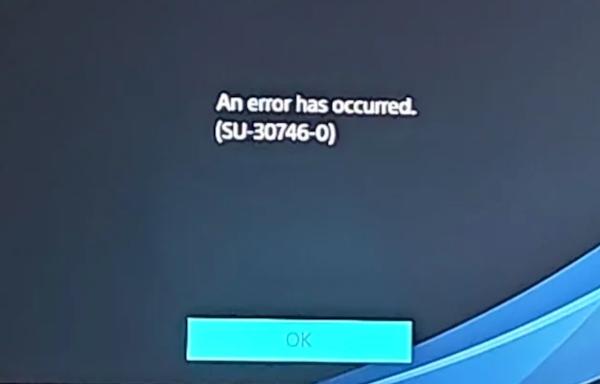
Error code SU-30746-0 usually indicates a problem with the system software update. Here are some steps to help you fix this error:
- Ensure that your device is connected to a stable internet connection.
- Check if there’s enough storage space on your game console for the system update. Delete unnecessary files or games if needed.
- If you’re updating via a USB storage device, make sure it’s properly formatted and contains the correct update file.
- Restart the PS4 console and try the system update again.
Troubleshooting Error Code CE-34335-8
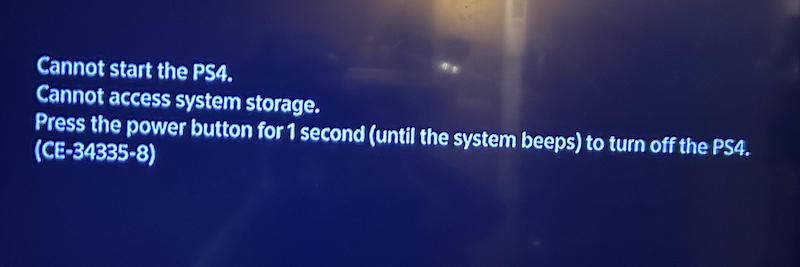
Error code CE-34335-8 is related to problems with reading discs or Blu-ray content on the PS4. Follow these steps to resolve this error:
- Clean the disc gently using a microfiber cloth to remove any smudges or dirt.
- Check if the disc is scratched or damaged. If so, try using a different disc or contact the game manufacturer for a replacement.
- Ensure that the PS4 system software is up to date.
- If the error persists, consider rebuilding the database. This process can help fix any file system issues that may be causing the error.
Wrapping Up!
Encountering error codes like SU-30746-0, CE-34878-0 or even CE-34335-8 can be exasperating, but with the right troubleshooting steps, you can overcome these issues.
Remember to keep your PS4 system software updated, maintain sufficient storage space, and follow the recommended solutions for each error code. If the problem persists, it may be necessary to contact Sony’s customer support for further assistance.
By following these guidelines, you can get back to enjoying your gaming experience on your Sony PlayStation device without the hindrance of error codes. We hope our guide has been informative and helpful!