

Access to new books is easy, thanks to e-readers. Now, you can simply download the books you want to read right into your ebook reader without leaving the comforts of your home.
PocketBook e-Reader is one of the popular brands that you can find when you want to read on a dedicated device. It enables you to download and store e-books in various formats. You can customize your settings and the font size, colors, and background depending on your preferences.
PocketBook e-readers also come with a Text-to-Speech function and audiobook formats for more reading and listening options.
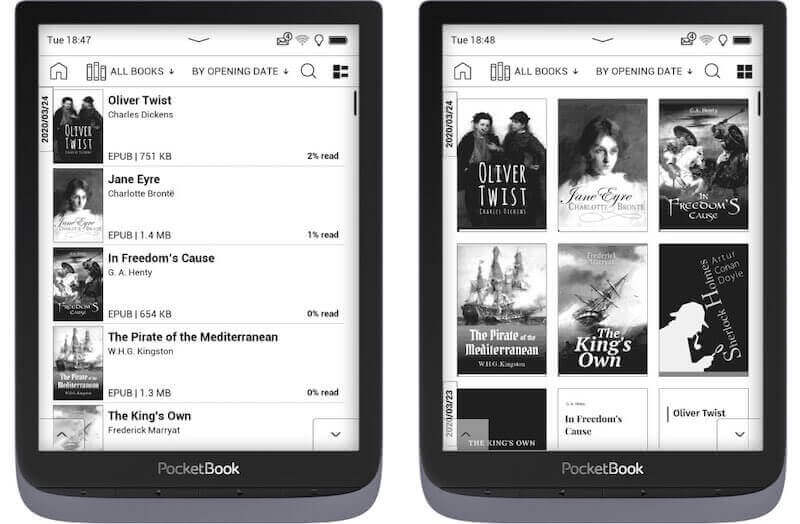
To maximize the performance and capacity of your e-book gizmo, you can install the latest firmware updates of your PocketBook gadget. Upgrading the software version of your e-reader will add more e-book formats for you to enjoy. It will also integrate new features that will make your reading more convenient.
PocketBook upgrades also include improvements on existing tools and functions of the reading platform. It is more optimized for faster processing and book retrieval. You can enjoy better synchronization and ease of use.
How to Download, Install Latest Firmware or Software Upgrade on PocketBook Device
There are two ways for you to install the available updates on your e-reading device. You can set the automatic firmware upgrade in just a few steps. But, you also have the option to install the update manually.
Steps to Install Firmware Updates Automatically
Before downloading the firmware updates on your PocketBook automatically, you need to connect to the Internet. Make sure you have a stable network signal throughout the installation process.
- On your ereader, navigate to the Settings menu.
- Select Network.
- Go to your WiFi and set it to On.
- Enter your password.
- Now, go back to the main Settings menu.
- Select Software. In some PocketBook models, you need first to go to Information about the gadget.
- Go to Software Update.
- Wait for the process to finish. Do not turn it off while the upgrading of software is going on.
Steps to Upgrade Device Software on PocketBook Manually
To manually install the new software of your PocketBook ebook reader, you will need to have a Micro SD or Micro SDHC memory card to save the file.
- First, go to pocketbook-int.com and select your country.
- On the upper right corner, click the Support button.
- Click the Choose your device button and select the type.
- Click the latest firmware version and download it.
- Now, go to the file location and copy the filename SWUPDATE.BIN to your Micro SD.
- Make sure to connect your reading tool to a power supply.
- Insert the Micro SD into your e-reader.
- Turn off your e-book reader.
- Look for the OK and the Upper Page button and press both buttons together at the same time until the message “Firmware update” appears and disappears.
- Press the OK button when prompted.
- Wait for the process to finish. It will reset along the process.
Wrapping Up!
That’s it! You have two options on how to update the device software of your PocketBook. You can also contact PocketBook Support for further assistance. What type of ebook reading gizmo are you using? We are curious to know. You can share your story with us below.